
Get Some Peace Without Missing What Matters
Our iPhones are useful little devices, but they are also remarkably good at interrupting us.
Messages, phone calls, email, social media, news alerts and app notifications can easily turn a quiet evening into a steady stream of buzzing, banners and beeps.
Fortunately, you don’t have to choose between turning your phone off completely and being available to everyone all the time.
Apple’s Focus feature lets you decide who and what is allowed to interrupt you.
Start with Do Not Disturb
The simplest Focus mode is Do Not Disturb.
You can turn it on quickly from Control Centre. Swipe down from the top-right corner of your iPhone, tap Focus, then choose Do Not Disturb.
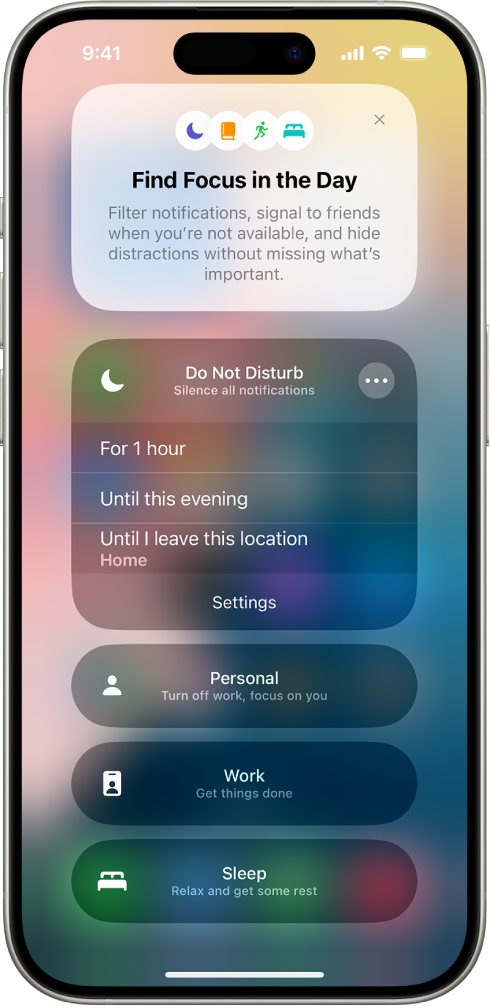
Your calls, messages and notifications still arrive. Your iPhone simply stops demanding your immediate attention.
You can also choose to turn Do Not Disturb on for a set period of time, such as for one hour or until later in the day.
Set up Focus the way you want it
For more control, open:
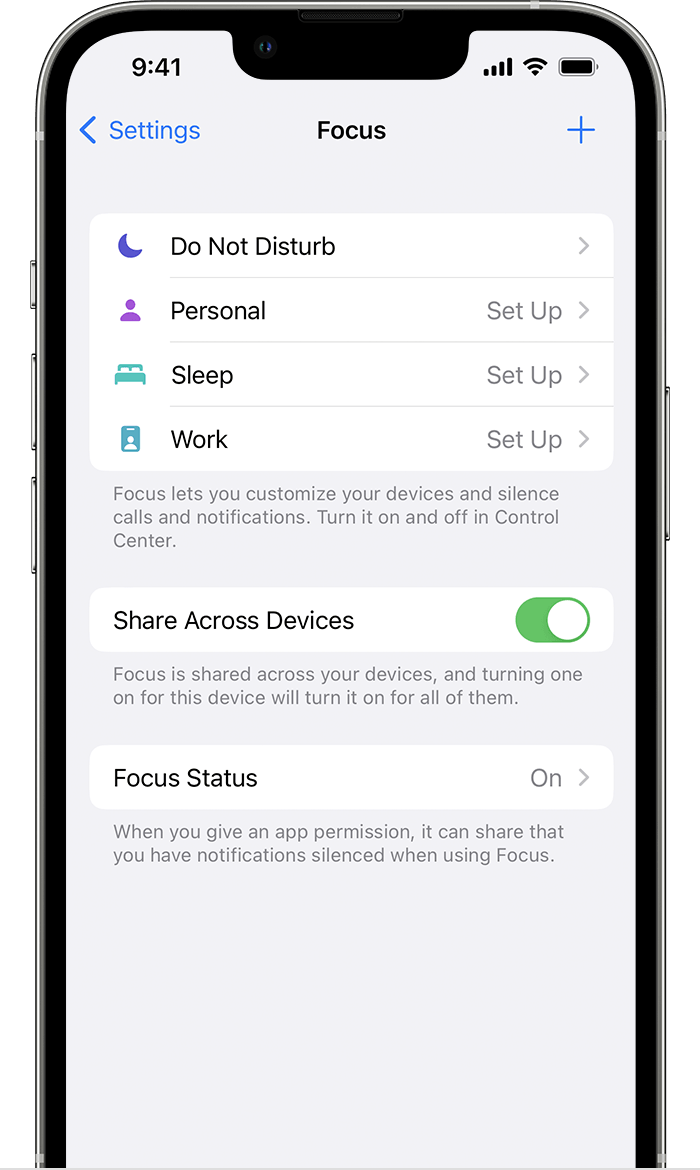
Settings → Focus → Do Not Disturb
From there, you can decide which people and apps are allowed to notify you while Do Not Disturb is active.
Let important people through
Under the People section, you can choose contacts whose calls and notifications should still reach you.
For example, you might allow calls from family members while silencing everyone else.
You can also allow repeated calls, which can be useful in an emergency if someone tries to reach you more than once within a short period of time.
For someone who absolutely must be able to reach you, you can also use Emergency Bypass in that person’s contact settings.
Control which apps can interrupt you
Focus isn’t limited to phone calls and text messages.
Under Apps, you can choose which apps are allowed to send notifications while a Focus is active.
You could create a quiet evening where calls from family still come through while Mail, Facebook, Instagram, news apps and other notifications remain silent.
Or you might create a Work Focus that allows phone calls, Messages and Calendar notifications while keeping everything else quiet.
Have Focus turn itself on automatically
You don’t even have to remember to turn it on.
A Focus can activate automatically based on things such as:
- A particular time of day
- Your location
- Opening a certain app
- Your sleep schedule
For example, you could have Do Not Disturb turn on automatically every evening and switch off again the next morning.
You can also create separate Focus modes for Work, Personal, Sleep, Driving or almost anything else you want.
Keep it consistent across your Apple devices
If you use more than one Apple device, turn on Share Across Devices under:
Settings → Focus
Your Focus settings can then follow you between your iPhone, iPad, Mac and Apple Watch when you’re signed in with the same Apple Account.
That means putting your iPhone into Do Not Disturb won’t leave your Mac happily chiming away beside you and defeating the entire exercise.
You can still stay connected
Focus isn’t really about disconnecting.
It’s about deciding when your technology gets your attention instead of allowing your technology to decide for you.
Spend a few minutes setting up Do Not Disturb or another Focus and you can have some peace and quiet while still making sure the people who matter can reach you.
Sometimes the smartest thing your smartphone can do is leave you alone.